Client Portal
3 min read

The hidden risks of online payments for UK law firms – and a safer solution

Overview

The rising threat of card testing attacks

For many UK law firms, enabling clients to make payments through their website seems like a natural step towards convenience. After all, we live in a digital-first world, and clients expect the ability to settle invoices online. However, what often goes unnoticed are the growing insecurities tied to accepting direct card payments on law firm websites.

One of the most common (and costly) risks is card testing attacks. Criminals use law firm websites that accept guest payments as a testing ground for stolen or fabricated card details. By running hundreds or even thousands of small test transactions, fraudsters can determine whether card details are active before using them elsewhere.

For law firms, this creates a number of problems

  • Financial exposure: Each fraudulent transaction often comes with fees, chargebacks, and administrative overhead.
  • Reputational damage: Clients expect their law firm to safeguard sensitive information. A compromised payment system can undermine trust.
  • Regulatory pressure: Law firms are held to strict compliance standards. Any weakness in handling client payments can attract scrutiny from regulators and professional bodies.


Why traditional guest payments aren’t enough

Most payment pages on law firm websites operate on a guest payment model. Anyone with card details, legitimate or not, can access the page and attempt a transaction. The lack of client authentication means the system cannot distinguish between genuine clients and malicious actors. For an industry that relies heavily on trust and confidentiality, this is far from ideal.
A more secure approach: Mozaique Client Portal by Accesspoint

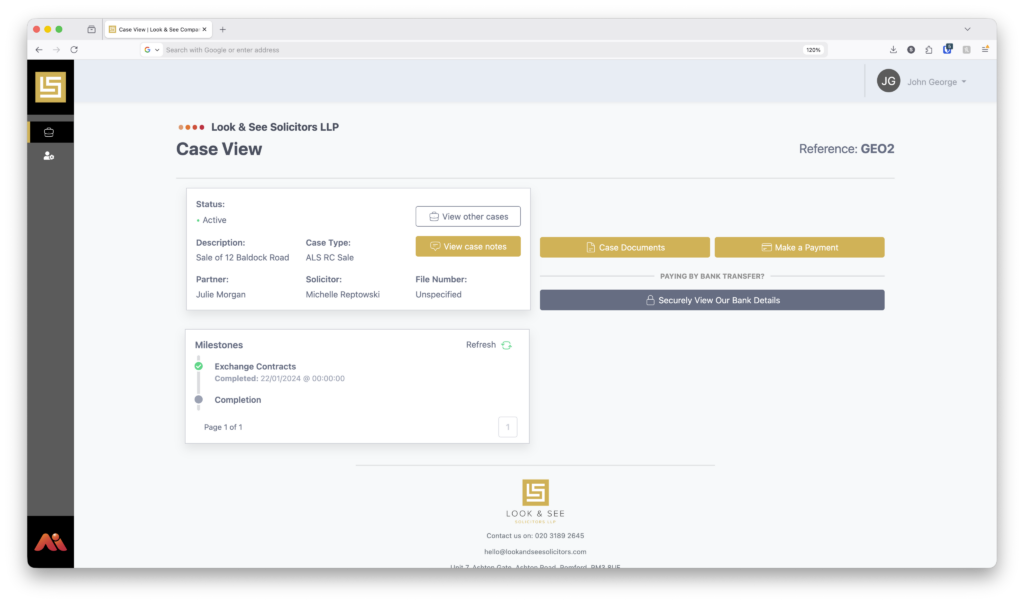
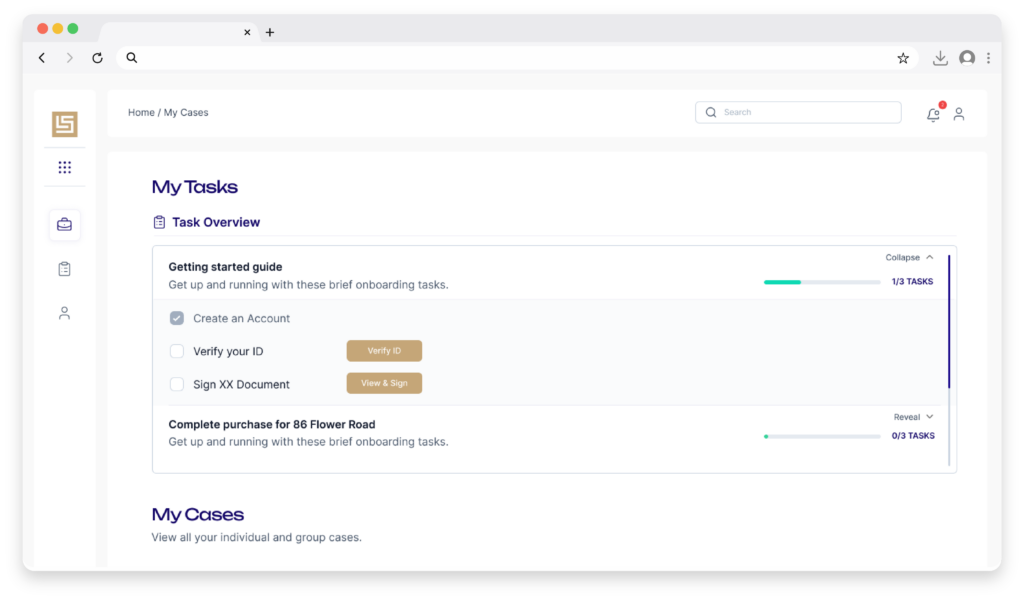
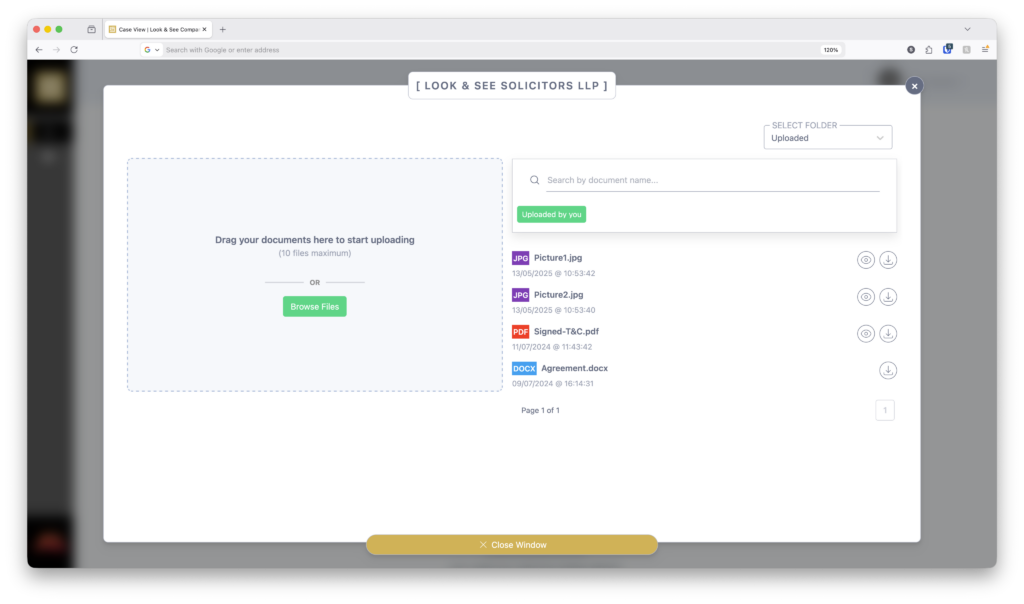
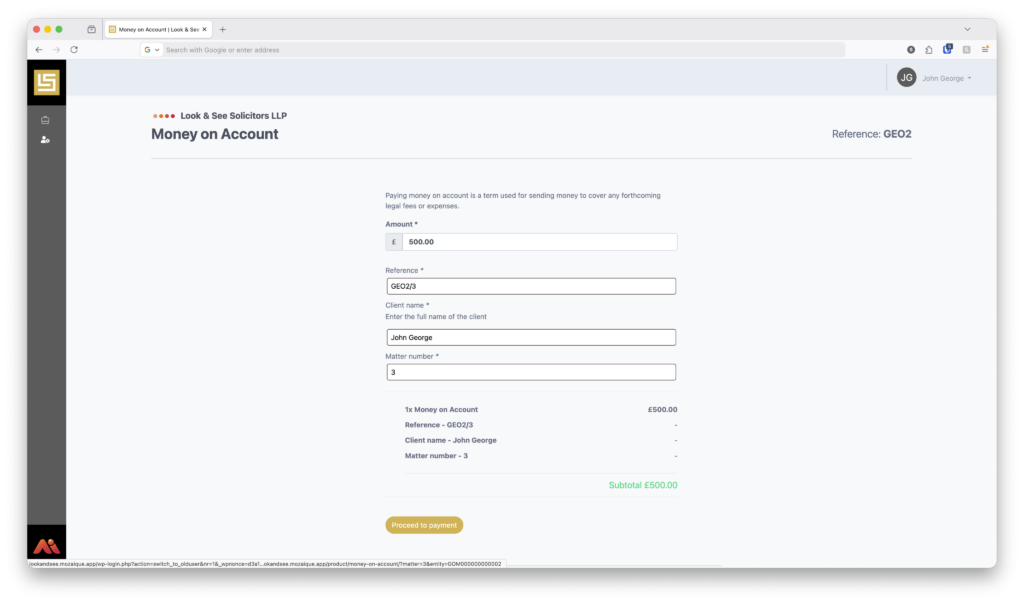
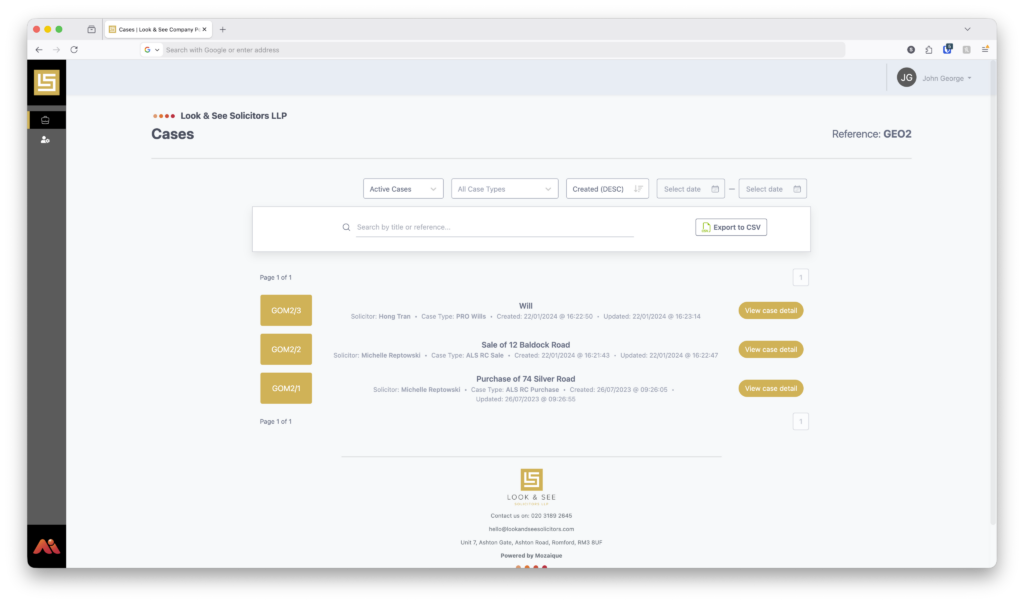
At Accesspoint, we’ve developed a secure client portal designed to give law firms peace of mind when it comes to online payments. Unlike open guest payment systems, our Mozaique Client Portal requires clients to log in securely before making a payment.

This ensures that:

  • Only valid entities can access the payment facility, reducing the risk of card testing attacks.
  • Client data remains protected within a controlled environment.
  • Law firms maintain compliance with industry regulations by using a purpose-built legal services platform.

Want to see how Mozaique can transform the way your firm handles payments? Book a demo with our team today.

case studies

Hear from some of our clients who love Mozaique.

Web Forms
5 min read

Is your firm’s digital onboarding broken?

Overview

Simplify client onboarding with Web Forms

Digital onboarding is meant to make life easier. It promises faster starts, fewer delays and a smoother experience for clients and staff alike. Yet many firms quietly feel that something is not quite working. Clients get confused. Information arrives late or incomplete. Teams spend time fixing issues that should not exist. The process is digital in name, but it often remains fragmented in practice.

This does not usually mean a firm has chosen the wrong tools. More often, it means the onboarding journey has grown piece by piece rather than being designed as a single, joined-up experience.

A common sign of a broken onboarding process is repetition.

Clients are asked for the same information more than once, sometimes in different formats. They may complete a form, then receive a follow-up email asking for details they thought they had already provided. From the client’s perspective, this feels frustrating and inefficient. From the firm’s perspective, it creates extra work and uncertainty about which version of the information is correct.

Another warning sign is delay.

When onboarding relies on email attachments or manual forms, progress often depends on back-and-forth communication. A missing detail pauses the process. A misunderstood question leads to another email or call. Over time, these small pauses add up, slowing the start of a matter and increasing pressure on staff.

Digital onboarding can also feel broken when clients are unsure what is expected of them. Unclear questions or requests for information without context can leave people feeling overwhelmed. This is especially true for clients who are unfamiliar with legal processes. If onboarding feels difficult, confidence can drop before the relationship has properly begun.

How do Web Forms help?

Web Forms help address these issues by bringing structure and clarity back into the onboarding journey. Instead of relying on scattered documents or emails, clients are guided through a precise sequence of questions. Each step is presented in plain language, making it easier to understand what information is needed and why. Clients complete the form at their own pace, without pressure, resulting in better responses and fewer mistakes.

Web Forms provide a structured first step, capturing the correct information before a matter progresses any further.

For firms, this creates a noticeable shift. Information arrives in a consistent format and feeds directly into the system. Teams spend less time interpreting responses or chasing missing details. Because the process is standardised, onboarding becomes more predictable, even during busy periods.

Web Forms also help restore confidence in digital onboarding. Clients feel supported rather than rushed. Staff trust the information they receive. Managers gain a clearer view of where onboarding is working well and where follow-up may be needed. The process starts to feel intentional rather than improvised.

A broken onboarding experience is not always obvious.

It often shows up in minor frustrations, repeated questions and quiet delays. By looking closely at how information is collected and shared, firms can identify where friction has crept in. Web Forms provide a practical way to remove that friction and replace it with a calmer, more reliable start to every new matter.

When onboarding is structured from the outset, firms spend less time correcting issues later in the process.

When onboarding works well, everything that follows becomes easier. Clients feel reassured. Teams feel organised. And the firm sets the right tone from the very first interaction.

FAQs

What does digital onboarding mean for a law firm?

Digital onboarding is the process of collecting client information electronically at the start of a matter, rather than relying on paper forms or email attachments.

How can a firm tell if its onboarding process is not working well?

Common signs include repeated requests for information, delays caused by missing details, and clients feeling unsure about what is expected of them.

How do Web Forms help improve digital onboarding?

Web Forms guide clients through questions one step at a time, using clear language and a structured flow that makes the process easier to complete.

Do Web Forms reduce delays at the start of a matter?

Yes. When information is collected clearly and completely at the outset, firms spend less time chasing missing details.

Can Web Forms reduce repeated data entry?

They can. Information entered by the client feeds directly into the system, reducing duplication and manual re-keying.

Are Web Forms suitable for less tech-confident clients?

Yes. The guided format and plain language make them accessible for clients with different levels of digital confidence.

How do Web Forms help staff?

They reduce interruptions, improve data quality, and allow staff to focus on progressing matters rather than managing admin.

Do Web Forms replace all other onboarding tools?

No. They work alongside existing systems to simplify the onboarding stage, not to replace core practice management tools.

What is the most significant benefit of improving digital onboarding?

It helps firms identify and fix issues early, before minor onboarding problems turn into larger delays later in the process.

case studies

Hear from some of our clients who love Mozaique.

Conveyancing Calculator
4 min read

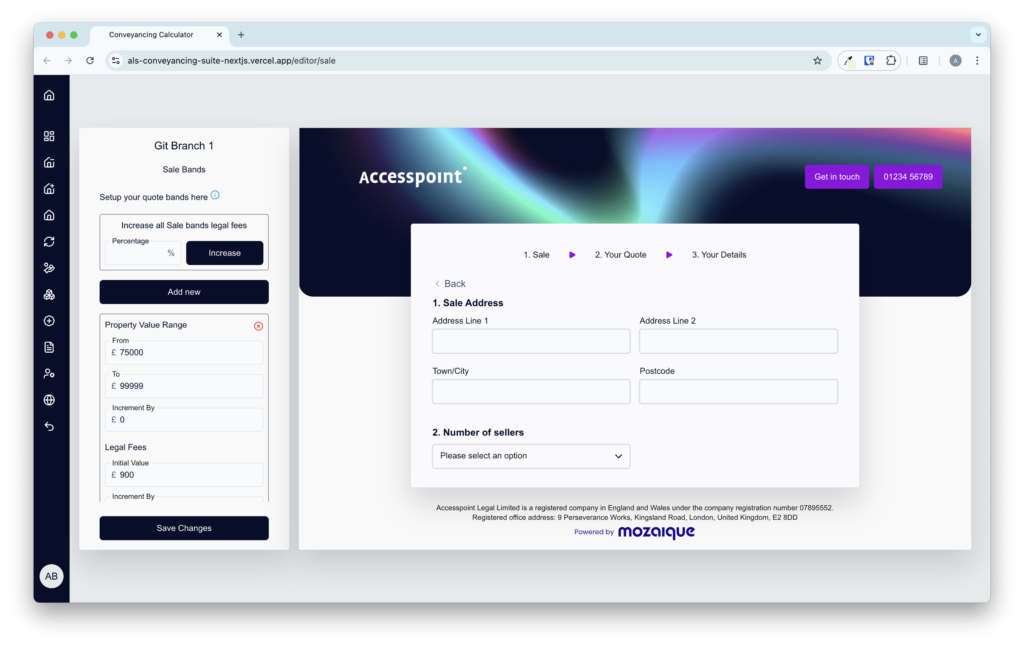
Convert enquiries into instructions with our Mozaique Conveyancing Calculator

Overview

Converting enquiries into new matters does not have to feel like a guessing game.

Most conveyancing journeys begin the same way. Someone has a question, they want a price, and they want it quickly. But this is where many firms lose momentum. A slow reply or unclear fees can send a potential client looking elsewhere before you even know they reached out.

Converting enquiries into new matters does not have to feel like a guessing game. You need a system that helps you meet people where they are and guides them forward with confidence. That is exactly what the Conveyancing Calculator is designed to do.

Clarity that keeps people moving

When someone gets an instant quote, the whole tone of the conversation changes. They do not have to wait, they do not feel unsure, they can see the full breakdown in black and white and make an informed decision right away. It is a small moment, but it creates a lot of confidence.

A smooth path from enquiry to instruction

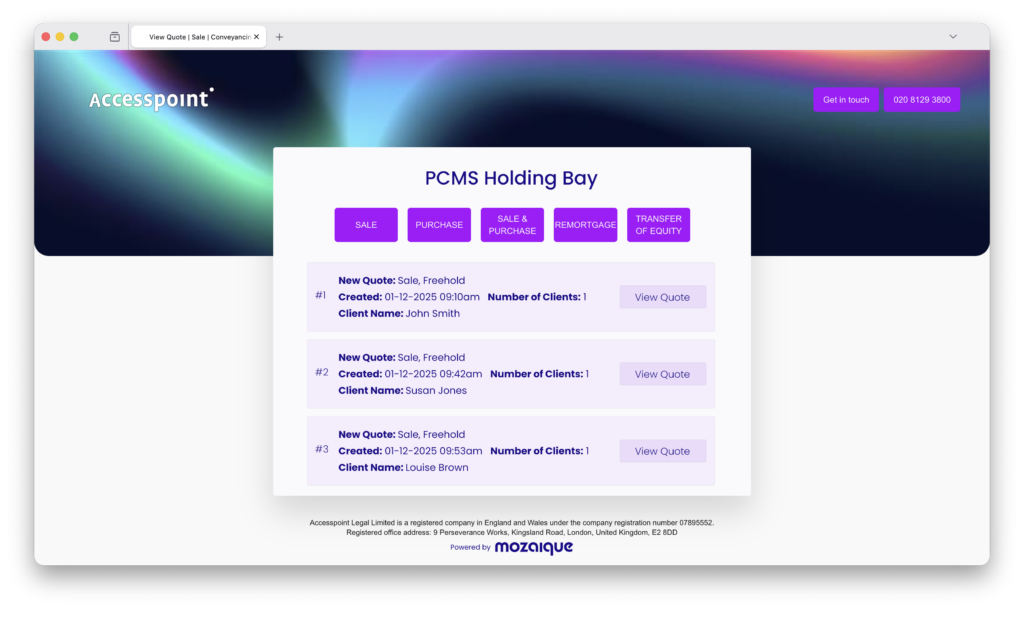
Once the quote is created, the process stays tidy. The details land safely in your firm’s PCMS through the Holding Bay. Staff can review everything calmly, check for duplicates, make changes if needed, and then turn the quote into a matter. The whole experience feels consistent and controlled, which is exactly what clients notice and appreciate.

Designed with conversion in mind

The Conveyancing Calculator supports conversion in practical, down-to-earth ways:

  1. Quick responses: Clients get what they need instantly.
  2. Strong first impression: A polished, branded PDF makes your firm look organised.
  3. Transparent pricing: No surprises and no uncertainty.
  4. Low-friction next steps: Clients can move into providing their details without any gap in the journey.
  5. Consistency across the firm: Every quote is created the same way, which builds trust and fairness.

These small touches add up, and clients feel it.

Easy to shape around your firm

Fee scales, adjustments, branding, colours, and document attachments can all be tailored to suit your practice. Whether you have one office or several, the Calculator adapts without fuss.

A clearer journey from interest to instruction

When quoting is fast, clear, and consistent, clients feel supported. And when your team has an organised system behind them, they can respond with confidence.

Mozaique’s Conveyancing Calculator helps your firm:

  • Capture more enquiries
  • Respond in seconds
  • Build trust early
  • Reduce manual admin
  • Convert more quotes into real instructions

If you want a smoother way to turn interest into new clients, this tool is one of the most helpful places to start.

FAQs

How does the Calculator help with conversion?

It gives clients instant clarity and removes the waiting time that often causes enquiries to go cold.

What happens after a client receives their quote?

The details go straight into your PCMS through the Holding Bay, where staff can review, refine, and convert the quote into a matter.

Can we follow up on quotes easily?

Yes. Every quote is logged and ready for follow-up. You can set reminders and track which leads are active or close to converting.

Does the Calculator show all fees clearly?

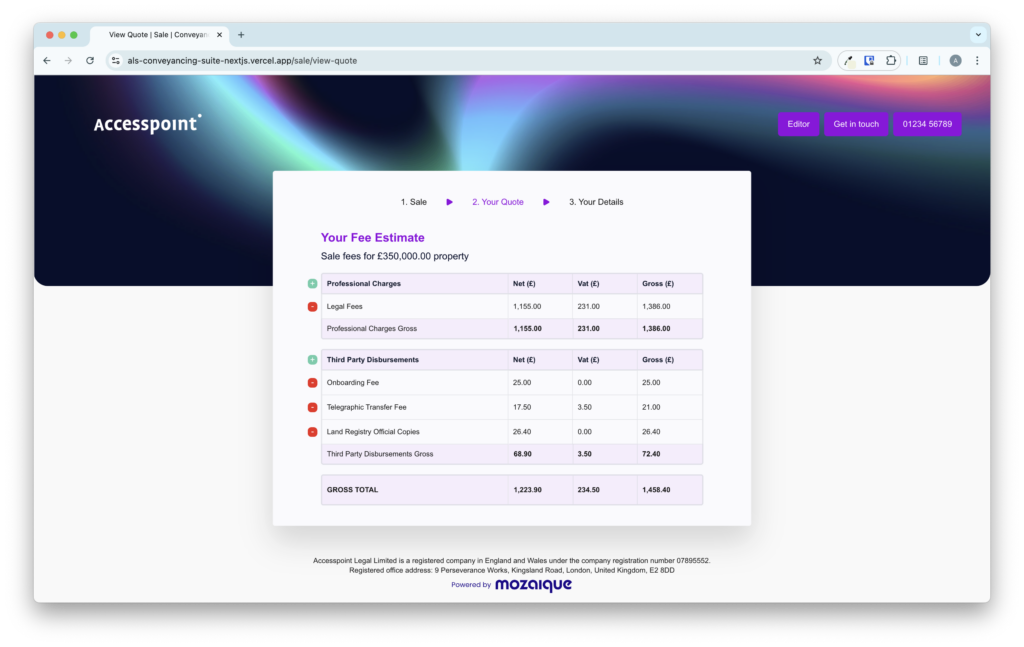
It displays legal fees, third-party fees, additional charges, and VAT in a simple, itemised layout.

Can clients download their quote?

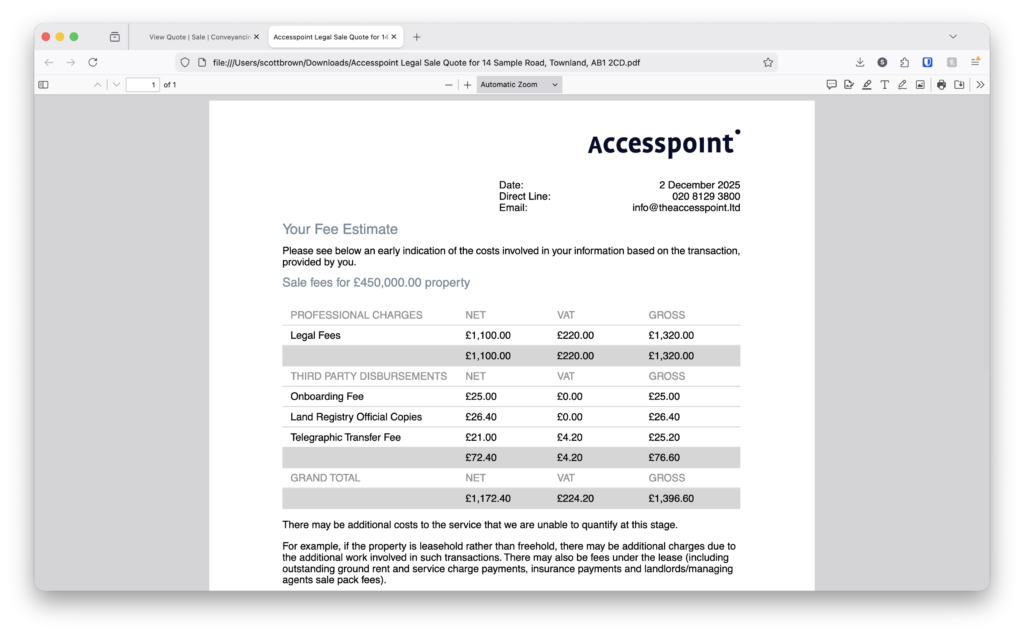
Yes. They receive a polished, branded PDF that reinforces your firm’s professionalism.

Is the system suitable for firms with more than one office?

It is. Each branch can have its own pricing structure while staying within the same system.

Can staff edit quotes before turning them into matters?

Yes. Staff can adjust fees, check details, and ensure accuracy before processing.

Does the Calculator integrate with our existing systems?

Yes. It connects directly with on-premise and cloud-based PCMS systems used across the legal sector.

What makes this quoting process more reliable for clients?

It gives them quick answers, clear pricing, and a smooth journey from quote to instruction, which strengthens their confidence in your firm.

case studies

Hear from some of our clients who love Mozaique.

Web Forms
4 min read

Simplify your Onboarding Process with Web Forms

Overview

Onboarding new clients should feel welcoming and straightforward.

It is often the first real interaction someone has with your firm, and it sets the tone for everything that follows. In practice, this early stage is where unnecessary friction often appears. Yet for many firms, onboarding still involves a mix of emails, attachments, paper forms and follow-up calls. Information comes in slowly, details are missed, and teams spend valuable time chasing responses rather than moving matters forward.

Web Forms are designed to make this stage less stressful for everyone involved.

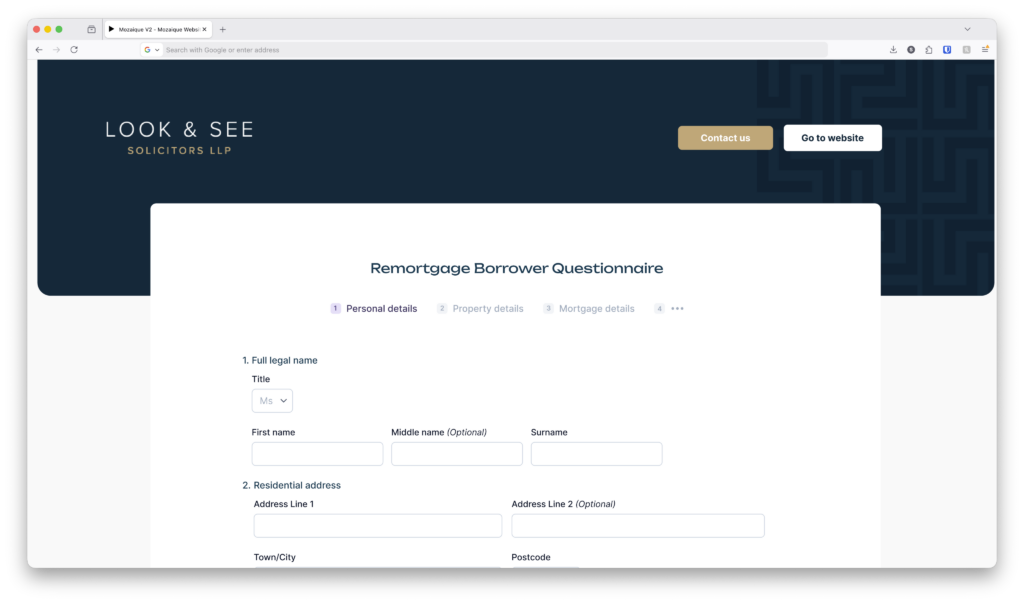
Instead of sending multiple documents or asking clients to complete forms manually, Web Forms guide people through the information you need in one clear, structured flow. Clients see one question at a time, written in plain language, and they can complete the form at a pace that suits them. This creates a more manageable first step, rather than an overwhelming list of requests.

For your team, the difference is immediate.

Information submitted through Web Forms feeds directly into the system, reducing the need for re-keying or manual checks. When clients enter their details themselves, accuracy improves and follow-up questions decrease. This allows fee earners and support staff to start work sooner, with greater confidence that the information they are working from is complete.

With Mozaique Web Forms, information collected from clients does not sit in isolation. Data can be checked for conflicts before being passed into the firm’s PCMS, helping to reduce duplication, improve accuracy, and remove friction at the very start of a matter.

Web Forms also help create consistency across your onboarding process. Every client is guided through the same structured set of questions, which means nothing important is overlooked. This is particularly helpful during busy periods, when teams are handling multiple new matters at once. A consistent process reduces pressure and helps staff focus on progressing work rather than managing admin.

From the client’s point of view, Web Forms feel more modern and respectful of their time. Web Forms are designed to be mobile-friendly, enabling clients to complete onboarding on their own devices at a time that suits them, without pressure or confusion, and without needing to print documents or scan attachments. Clear prompts help them understand what information is required and why, reducing uncertainty and building trust early in the relationship.

Another benefit is visibility. When onboarding information is collected in a structured way, teams can see more quickly what has been completed and what is still outstanding. This makes it easier to follow up when needed and keeps matters moving forward without unnecessary delays.

Web Forms are not about adding another aspect of complexity to your systems, they are about removing friction from one of the most important stages of the client journey. By replacing fragmented processes with a single, guided experience, firms can create a smoother start for clients and a more efficient workflow for their teams.

A more straightforward onboarding process helps everyone feel extra confident. Clients feel supported rather than rushed. Staff spend less time managing paperwork and more time doing meaningful work. And the firm benefits from a process that is clearer, more consistent and easier to scale as demand grows.

FAQs

What are Web Forms used for during client onboarding?

Web Forms are used to collect key client information in a structured way at the start of a matter, helping firms gather accurate details without relying on emails or paper forms.

How do Web Forms make onboarding easier for clients?

They guide clients through questions one step at a time, using clear language, so the process feels manageable and less overwhelming.

Can clients complete Web Forms in their own time?

Yes. Clients can complete forms on their own device at a time that suits them, without needing to print or scan documents.

Do Web Forms reduce follow-up work for staff?

They do. When clients enter information directly, teams spend less time chasing missing details or correcting errors.

How do Web Forms improve accuracy?

Information is entered once by the client and fed directly into the system, reducing the risk of mistakes caused by re-keying data.

Are Web Forms suitable for all types of clients?

Yes. The guided format works well for clients who are unfamiliar with legal processes as well as those who are comfortable with digital tools.

Can Web Forms help standardise the onboarding process?

They ensure every client is asked the same core questions, which helps create consistency across matters and teams.

Do Web Forms help during busy periods?

Yes. A structured onboarding process makes it easier for teams to handle higher volumes of new matters without added pressure.

How do Web Forms affect the client experience?

They reduce early uncertainty by providing clients with a clear, predictable starting point rather than a series of disconnected requests.

Are Web Forms designed to replace existing systems?

No. They are designed to work alongside your existing systems, making onboarding simpler rather than more complex.

Are Web Forms designed to replace existing systems?

No. They are designed to work alongside your existing systems, making onboarding simpler rather than more complex.

case studies

Hear from some of our clients who love Mozaique.

Legal Aid Manager (LAM)
9 min read

Breaking the mould of Legal Tech

Overview

Product discovery insights from Accesspoint Legal

Market insights

Legal Tech challenges of 2025 are vastly different from those that shaped the development of much of today’s software. Despite this, law firms seeking to upgrade their technology often default to like-for-like replacements, swapping one Practice Management System (PMS) for another. However, the modern tech stack is evolving into a collection of best-in-breed applications, each designed to solve specific problems with outstanding efficiency.   

Amongst all Legal Tech applications, time recording, cost management, and billing are the most critical to a law firm’s profitability. However, for many SME law firms, these operations have not evolved as quickly as other areas, such as client onboarding. The urgency bias of recent years, driven by the pandemic and the deep integration of billing systems within legacy PMS platforms has contributed to this lag.

Product insights

Legal Aid lawyers operate under intense financial pressure, they manage the highest cost and billing overheads in legal services yet receive the lowest fee income. A Law Society survey revealed that 50% of the cost to run a Legal Aid case are unrecoverable, exposing a systemic challenge. Accesspoint are building software to solve that challenge. Throughout our discovery phase we examined the root causes behind inefficiencies, identifying gaps in matter setup, time recording, funding management, and collaboration that prevent lawyers from being paid what a case is worth.

Our findings reinforce an urgent need for specialised matter cost management, time capture and billing tools. It is an unknown path for an SME law firm to navigate, this article explores our key learnings and lays out a blueprint for next-generation Legal Aid SaaS solutions.

Key Learnings from Product Discovery

We started our exploration with costs written off, either known and captured through accounts or offline at billing and asked ourselves why? All paths led us back to the start of the matter, where most billing errors originate. At thematter set up stage fee earners inadvertently miss the opportunity to consider enhancements or apply incorrect funding arrangements. When the case progresses, amendments are not made. Mistakes in setting up the correct tracking led to underbilling, often without lawyers realising it until a Cost draftsperson highlights what could have been!

Current Problem

Matter setup in PMS relies on extensive manual knowledge of complex fee structures, rates, and Legal Aid Agency (LAA) rules. Even with conditional logic and automation in PMS, incorrect configurations at the outset lead to compounding financial losses. When observing incorrect matter set up, fee earners questioned replied “I knew it was wrong, but not how to put it right”!

Solution

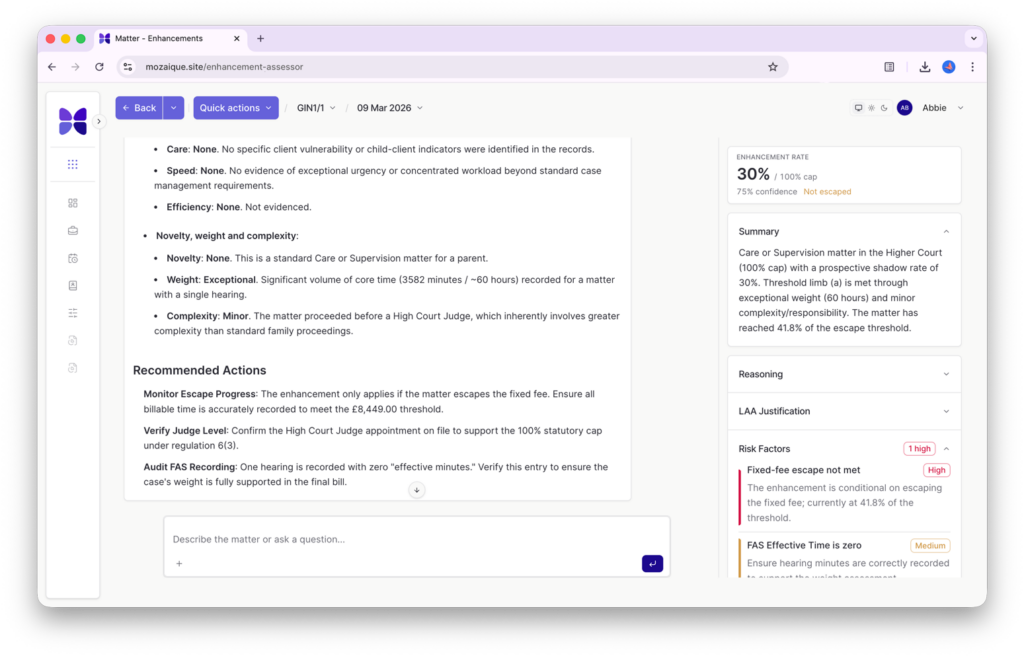
A guided matter journey that ensures fee earners assign the right funding structure, cost categories, and recoverable fees from the beginning. Intuitive user experiences identifying clear optionality with validations anticipating and correcting common errors, while coaching lawyers to consider guidance that could justify enhancements of up to 100% right from the start.

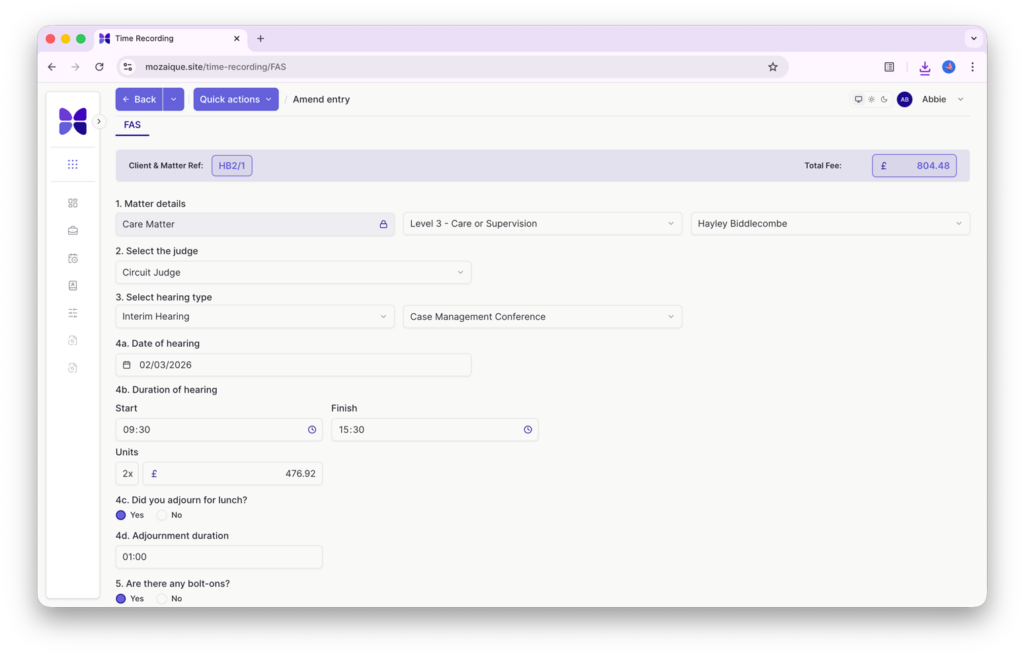
We learned that time recording remains a universal pain point for Legal Aid and private funded B2C/B2B transactions alike. Whilst time recording apps are used widely, they fail to enhance usability so that lawyers still struggle to record time correctly and contemporaneously. Without accurate time, fixed fees and WIP are incorrect and attempts at manage costs ineffective, leaving WIP to be calculated with manual manipulation and adjustment at the billing stage.

Current Problem

Lawyers risk losing recoverable time because time recording tools don’t prevent misallocation. Many systems treat time capture as a passive data entry task rather than an intelligent billing assistant.

Increasing cost limits at the billing stage to account for missed time is nearly always impossible. If time is mis-recorded, whether under the wrong scope, matter, or omitted entirely, it is typically written off. And if a claim is submitted incorrectly, the process of recovering and resubmitting those costs can be both time-consuming and complex.

Solution

Smart time capture tools that:

  • Provide real-time validation against LAA rates and fees
  • Differentiate the different scope and levels of a matter to prevent mis-posting
  • Enable time to be deleted, re-allocated or moved where necessary
  • Offer simple, intuitive interfaces significantly reducing errors

Legal Aid cost control and billing is notoriously complex, spanning different contract types (criminal, civil, family), each with its own funding rules. One matter can have multiple levels and fixed fees running concurrently. Many existing software solutions passively accept data input without validating if it aligns with funding criteria.

Current Problem

Lawyers struggle to manage matter costs effectively because they often lack clear visibility into what a case is worth, both at each individual funding level and in aggregate across scopes and limits. This lack of insight leads to lost revenue, as firms fail to anticipate the need for cost limit or scope extensions before incurring costs.

Solution

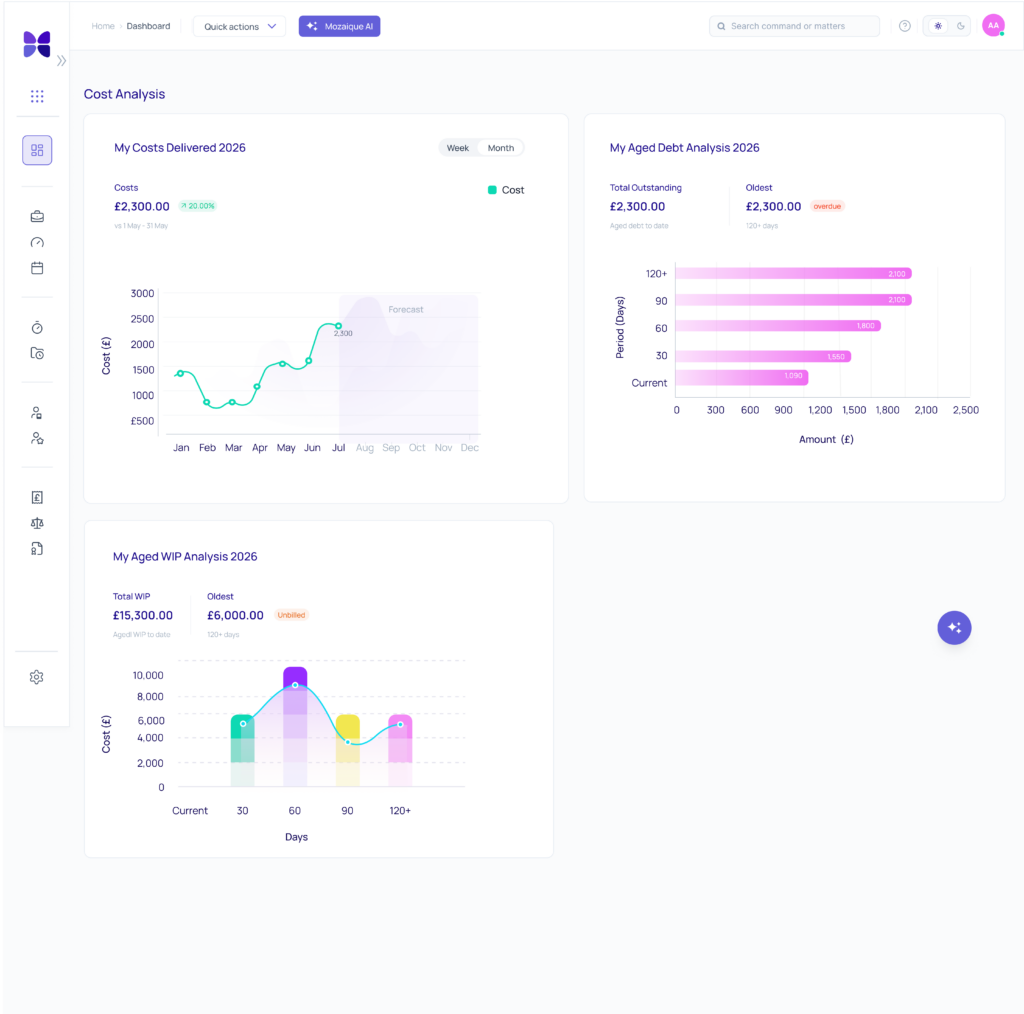
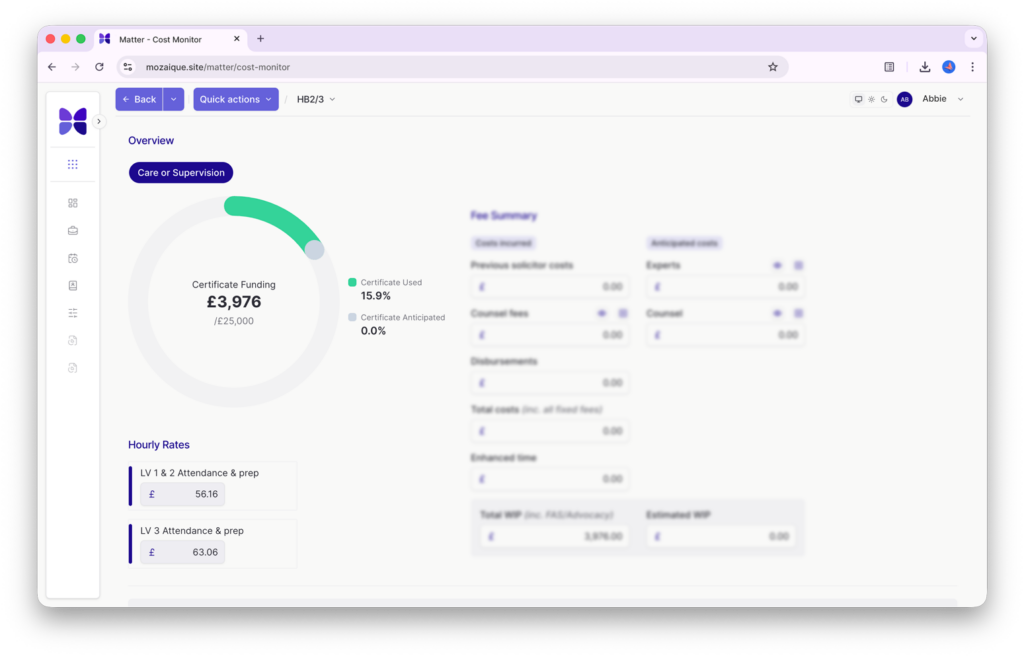
Matter cost monitor: A simple source of truth for consolidated matter costs that:

  • Manages costs against budget with both WIP and anticipated costs budgeted
  • Associates the correct funding scheme based on matter type
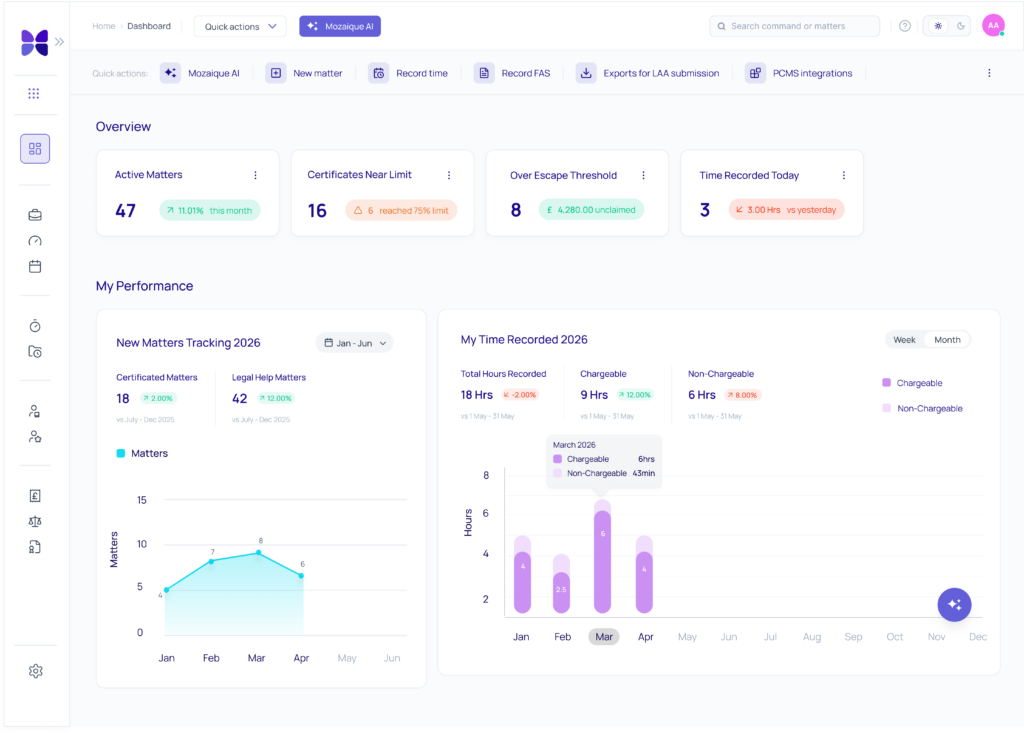
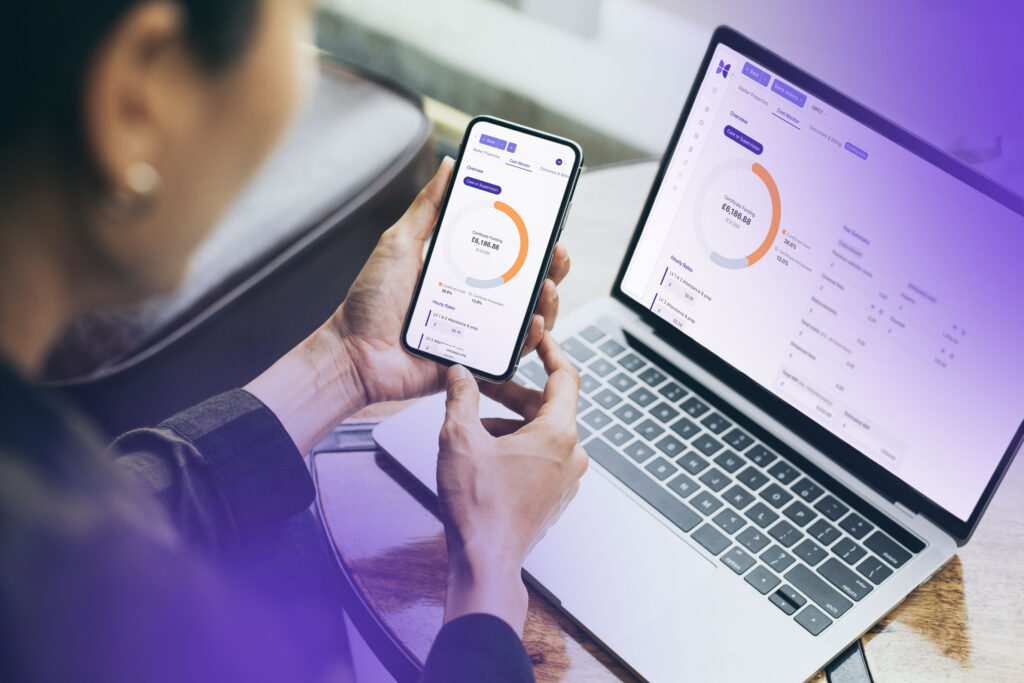
  • Displays all funding and WIP in an intuitive dashboard with calls to action
  • Alerts lawyers when funding thresholds are likely to be reached, enabling them to submit proactive applications for cost increases, creating tasks and tracking completion

Cost budgeting and billing requires input not just from individual lawyers but also from finance teams, external counsel, and lawyers. Without dedicated collaboration tools, billing communications happen via email chains, spreadsheets, annotated reports and disconnected databases, increasing the risk of lost or duplicated information.

Current Problem

Key stakeholders (fee earners, accounts teams, internal and external billers) lack a shared space to collaborate on case billing. This leads to ineffective communication, billing delays, billing insight gaps and inaccurate or disputed claims.

Solution
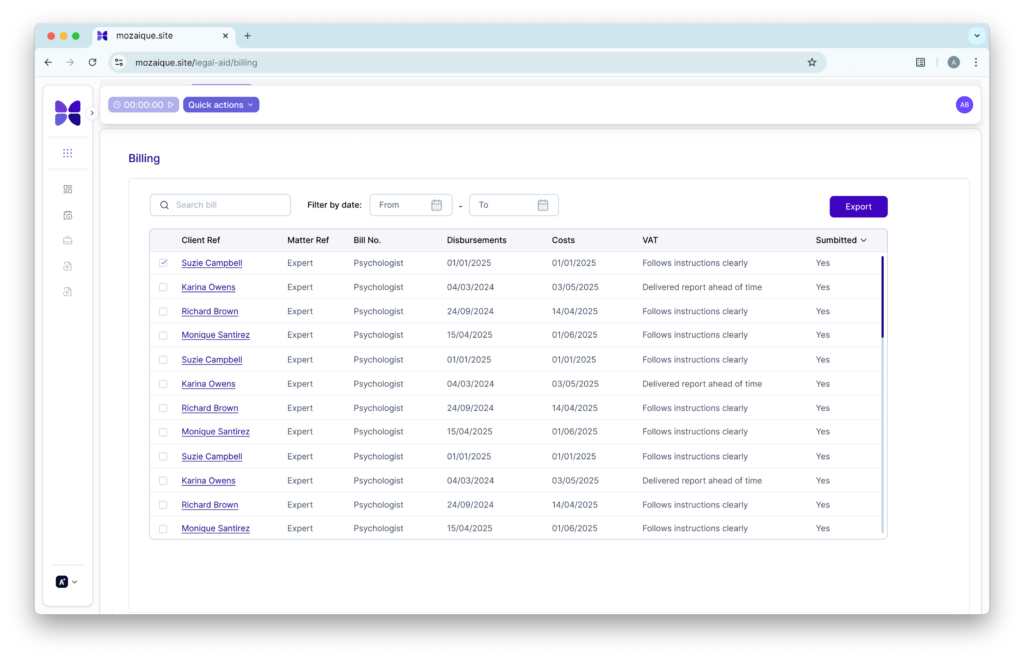
  • A centralised billing workspace where all stakeholders can review costs, leave notes, share tasks and flag issues in real time
  • A billing tracker that tracks WIP all the way through the billing process, from draft to payment for all claims across all departments.
  • Insight updates identifying trends in good and bad practice, WIP lock up and benchmarks for internal stakeholders comparable to the market.
  • Integration with existing PMS to ensure seamless transition between casework and billing

Conclusion: breaking the mould to innovate

The discovery phase reinforced a clear reality: Legal Aid lawyers are systematically underpaid due to outdated technology and inefficient processes. The current Tech landscape often forces practitioners to fit their workflows into generic PMS tools, instead of providing purpose-built solutions that align with Legal Aid’s unique complexity.

By rethinking matter setup, time recording, funding management, and collaboration, we are designing a system that removes barriers to making a profit. This isn’t just about improving billing, it’s about providing Legal Aid practices with a route to financial sustainability. As we move forward, we stay committed to one goal:

Delivering precise, intelligent software that enables lawyers to do the work, get paid and build a practice where Legal Aid has a future.

Whether you want to be first in line to benefit from our Legal Aid Module, or need some advice on how to formulate your plans for a best in bread tech stack, contact us for advice, support or just a catch up!

case studies

Hear from some of our clients who love Mozaique.

Conveyancing Calculator
4 min read

Say goodbye to manual quoting!

Overview

A simpler way to look at quoting

If you have ever watched a fee earner wrestle with a manual conveyancing quote, you will know the feeling. The spreadsheets. The emails. The quick checks with colleagues. The back-and-forth that takes longer than anyone wants to admit. It is a familiar process, but it drains time and energy from teams who already have plenty on their plates.

Manual quoting has been part of the job for years, but that does not mean it should stay that way.

The truth is, most people who contact a law firm want the same thing. They want a clear price, a quick answer, and a sense that they are dealing with a team that knows what it is doing. Giving them that clarity should not feel like a treasure hunt.

That is where Mozaique’s Conveyancing Calculator steps in. It takes all the pressure that usually sits on someone’s shoulders and turns it into a clean, reliable process that works every time.

Instant, self-serve quotes that just make sense

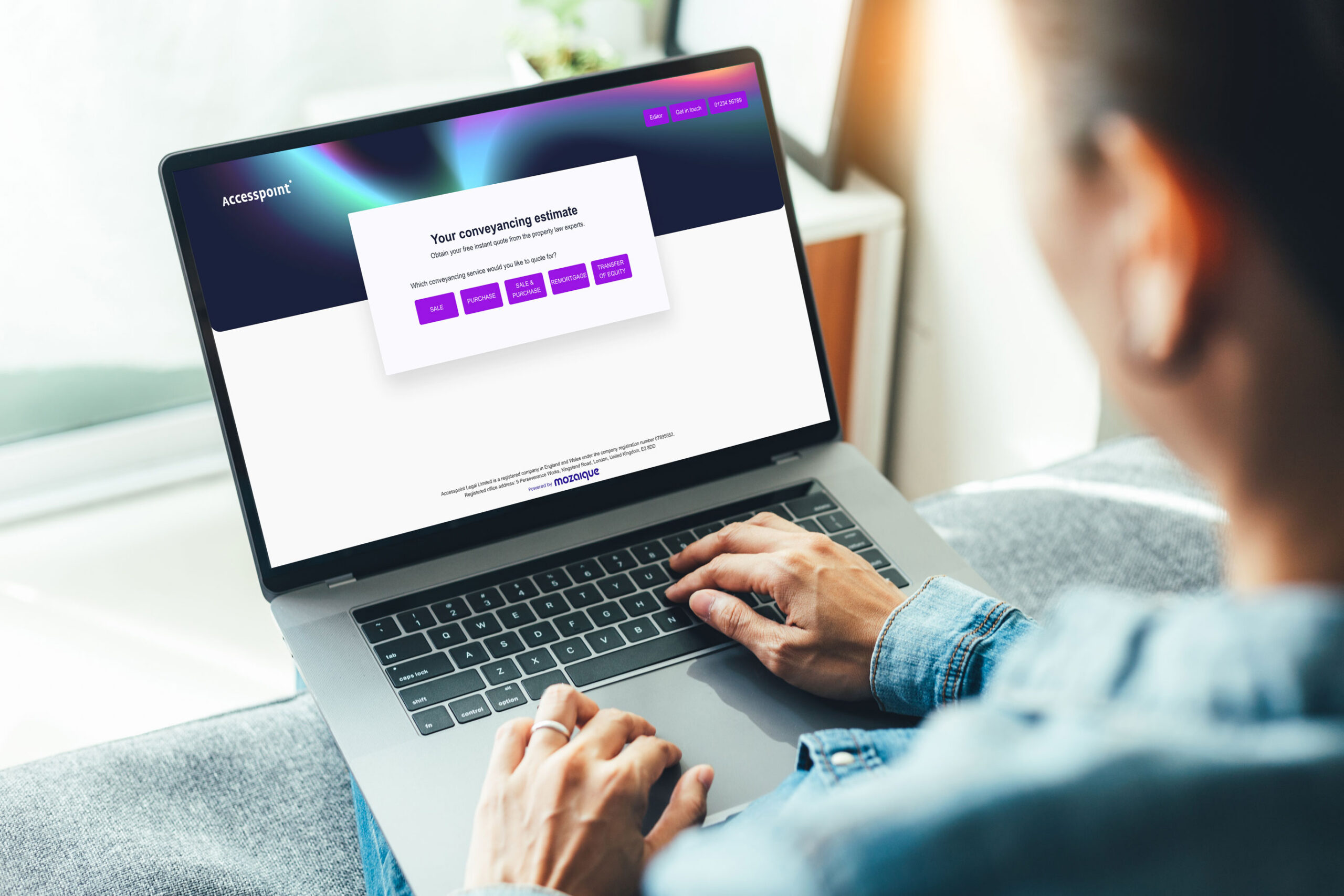
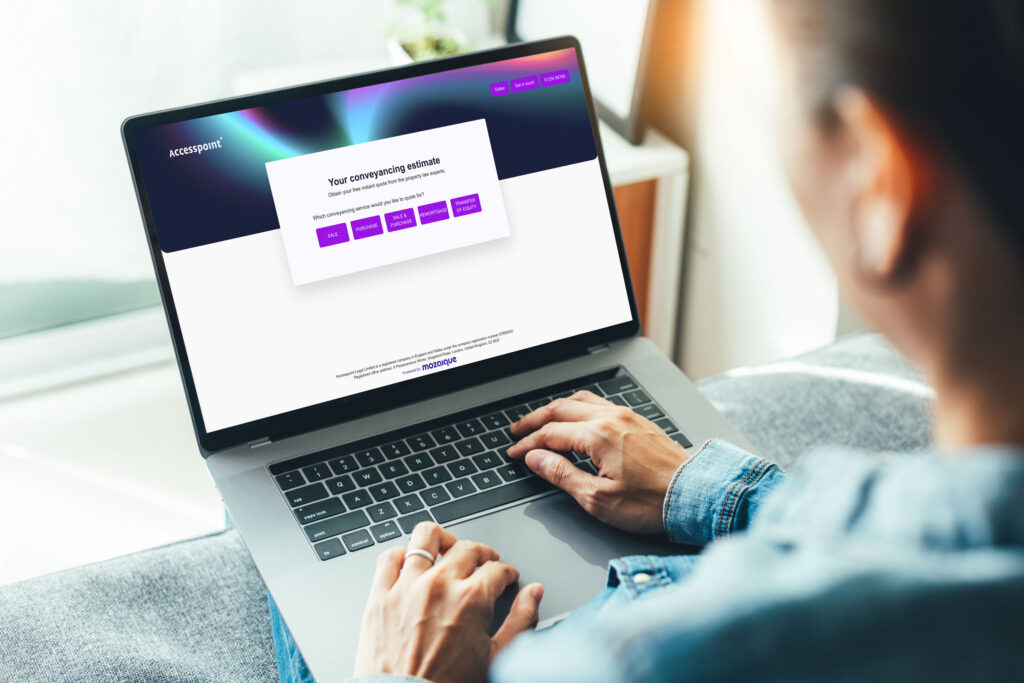
Imagine someone visiting your website, tapping a few details in, and receiving a clear, itemised quote straight away. No delays. No manual maths. No waiting for someone to reply when they have a moment.

The Calculator handles all of that automatically. Clients get clarity. Your team gets time back. Everyone wins.

They see:

  • Legal fees
  • Third-party fees
  • Additional charges
  • VAT
  • A branded PDF they can save or share

It feels straightforward, because it is.

Smooth integration means no more re-keying

Once the quote is complete, it flows into your firm’s PCMS through the Holding Bay. That is the safe space where staff can check details, make small adjustments, and convert the quote into a matter.

No one has to re-type anything. No one has to chase missing files. Nothing falls through the cracks. It is the kind of calm, organised workflow that teams appreciate once they experience it.

Built to fit your firm, not the other way around

You can set up your own fee scales, add branch-specific pricing, and customise your colours and branding. If you run multiple offices, the Calculator handles that too. It is meant to fit naturally into your world, not disrupt it.

Seeing the bigger picture becomes much easier

When quoting is manual, it is hard to see which enquiries convert, which ones stall, and where improvements could be made.

With built-in analytics, you can finally see the patterns:

  • Which leads convert
  • Which ones drop off
  • Where enquiries come from
  • How pricing performs

Better insight means better decisions, and that is something every firm benefits from.

A calmer, clearer experience for clients and staff

Switching from manual quoting to an automated process is not just about speed. It is about reliability, confidence, and giving clients the sense that they are in safe hands right from the start.

Mozaique’s Conveyancing Calculator helps you:

  • Respond immediately
  • Keep quotes consistent
  • Reduce admin
  • Build trust early
  • Increase the chance of turning an enquiry into a client

If you want quoting to feel smoother for everyone involved, this is a small change that creates a big difference.

FAQs

What does the Conveyancing Calculator actually do?

It gives clients an instant, itemised conveyancing quote based on your firm’s live pricing rules. Everything is generated automatically, so no one needs to calculate anything manually.

Do clients need to speak to someone to get a quote?

No. They can get a personalised quote directly from your website whenever they want.

Can the Calculator show VAT and third-party fees?

Yes. All fees, including VAT and third-party costs, are displayed clearly so clients know exactly what to expect.

How does the Calculator reduce admin for staff?

It removes the need for manual calculations, re-keying, and back-and-forth emails. Quotes flow straight into your PCMS, so staff can review and process them quickly.

Does the Calculator work for firms with multiple branches?

Yes. You can set branch-specific fee scales and manage everything from one central place.

Can we customise the look of the quotes?

You can upload your firm’s logo, colours, and legal details, and even attach additional PDF documents to create a fully branded experience.

Is it easy to adjust our pricing?

Very. You can update fee scales, additional charges, and third-party fees whenever you need to, without technical help.

Does the Calculator help us track enquiries?

Yes. Built-in analytics show lead sources, conversion rates, and general quoting performance, helping you understand what is working.

Is the quoting process secure?

Yes. All quotes are processed within Accesspoint Legal’s secure, ISO-certified environment.

What difference will clients notice?

They will get a fast, clear quote that feels reliable and professional, which builds early trust and makes your firm easier to choose.

case studies

Hear from some of our clients who love Mozaique.

Accesspoint
3 min read

We’re the legal-sector technology specialists you need to know about

Overview

Technology built for law firms. Not adapted for them.

Since 2012, Accesspoint has worked side-by-side with law firms to design technology that fits the way legal professionals actually work. What began as a small consultancy helping firms modernise their systems has grown into a sector-leading team of developers, consultants and creatives all focused on one industry and one goal: making legal technology smarter, simpler and more human.

We have end-to-end expertise for every firm.

Our team of over 30 specialists covers the full digital spectrum, from legal consultancy and project management to software architecture, UI/UX design, and digital marketing. That breadth means we can map out a firm’s entire workflow, identify the bottlenecks, and deliver a complete solution that works from day one.

Whether we’re integrating a PCMS, building custom middleware, or training staff post-go-live, we stay involved until every click makes sense.

Innovation built into our DNA.

Mozaique brings together specialist modules such as the Client Portal, Conveyancing Calculator and the Legal Aid Manager; tools designed not as bolt-ons, but as an integrated ecosystem for modern practice.

Each solution is developed in-house using a modern cloud-native stack and evolves through continuous feedback from the firms who use it. That’s how we turn real-world challenges into working software and keep our clients ahead of change.

Our Partnerships prove our processes

We’re proud to be certified ISO 27001, ISO 9001 and Cyber Essentials, assuring clients that security and quality sit at the heart of our delivery. Our partnerships span the leading names in legal tech, from NetDocuments (EMEA Partner of the Year 2024) to Actionstep, Verify365 and Ochresoft. And our annual Accesspoint Innovators Forum brings together more than 100 delegates to share ideas and shape the future of legal technology.

We turn complex problems into everyday efficiency.

At Accesspoint, we don’t build technology for technology’s sake. We build it to break barriers: between systems, between people and process, between what firms have and what they need next.

case studies

Hear from some of our clients who love Mozaique.

Legal Aid Manager (LAM)
3 min read

When innovation meets access to justice

Overview

We’re giving Legal Aid lawyers their time back

Did you know?

In 2024, 82% of practitioners surveyed by the Law Society reported that Legal Aid work was loss-making. The challenge wasn’t skill or dedication; it was that the digital tools built for private-practice billing didn’t fit the complex, rule-bound world of Legal Aid. We saw an entire sector working in fragments: spreadsheets here, portals there, disconnected systems everywhere.

So we set ourselves a simple but audacious goal: make Legal Aid viable again through intelligent automation and guided design.

Listening before building: we started with research, not code.

We interviewed lawyers, cost drafters, cashiers, rep bodies, and Legal Aid Agency contacts. We hosted workshops with partners, ops leads, and IT teams to map every breakdown trigger from client onboarding to final billing. Those sessions revealed the heart of the problem: lawyers weren’t short of data, they were short of time and tools that understood Legal Aid logic.

Our brief became clear: turn expertise into an experience, not just another administrative task.

Designing a guided journey

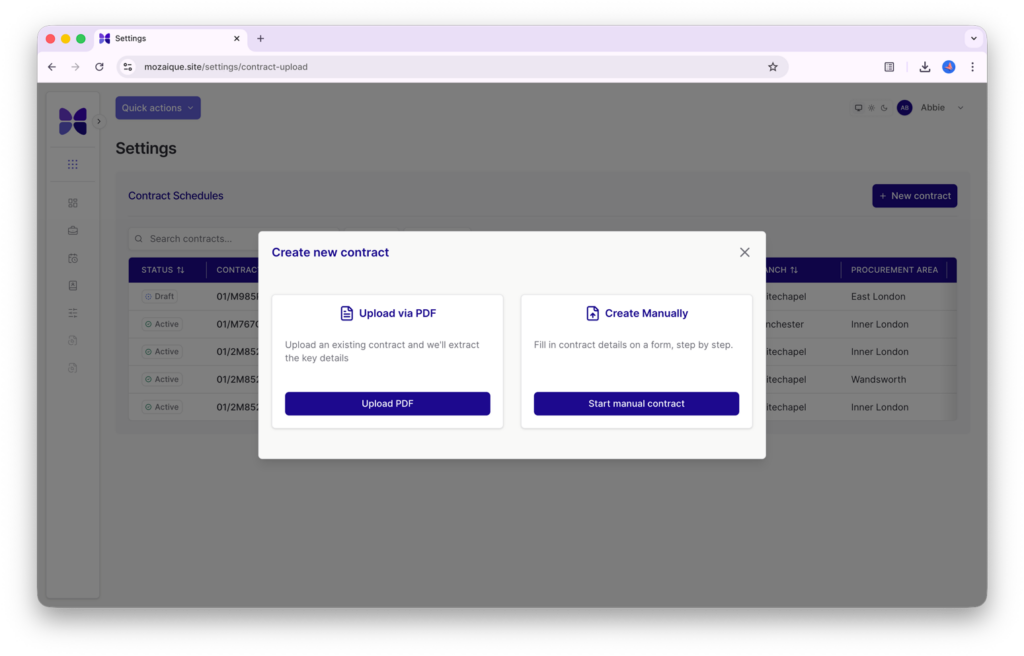
From that insight came the Legal Aid Manager (LAM), a standalone SaaS platform that helps firms manage budgeting, cost control, time capture, and compliance in one connected workflow. It doesn’t just record numbers; it thinks alongside the lawyer, prompting the right actions at the right time. LAM front-loads prediction — anticipating enhancements, funding limits, and fee changes — so firms recover more of what they earn and reduce WIP lock-up.

Built with empathy and precision

Behind the interface lies months of structured R&D.

  • AI agents that learn from paid bills to suggest future enhancements.
  • Middleware that bridges legacy PCMS systems and modern cloud tools.
  • Conditional logic trees that model how real Legal Aid cases evolve day to day.
    Each feature originated from collaboration: engineers working closely with lawyers, reimagining what “cost management” could mean when it’s simple, visual, and intuitive.

A community approach to innovation

Eight pilot firms representing every type of PCMS helped test each sprint. Their feedback shaped the product as much as the code did. That partnership model is now a core Accesspoint principle: every build is a shared build.

The Legal Aid Manager isn’t about replacing people. It’s about giving Legal Aid lawyers their time back. By letting the software handle the complexity, lawyers can again focus on the reason they joined the profession in the first place: helping clients find justice.

case studies

Hear from some of our clients who love Mozaique.

Book a demo

This field is for validation purposes and should be left unchanged.